来自腾讯云https://www.qcloud.com/doc/product/213/2881
下载FileZilla Server,官方下载地址:https://sourceforge.net/projects/filezilla/files/FileZilla%20Server/
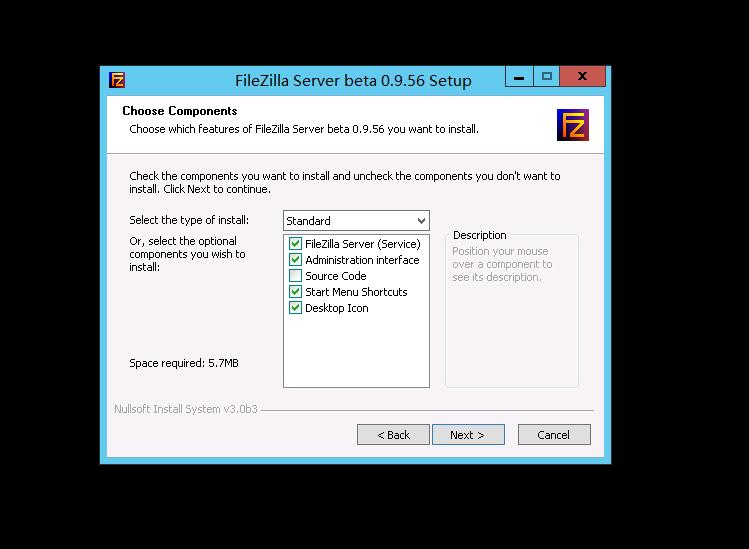
下载完成后启动安装程序,阅读许可协议,点击【I Agree】进入下一步安装;选择安装内容,默认安装标准即可,点击【Next】(其中“Source Code”是源代码,不需要勾选):
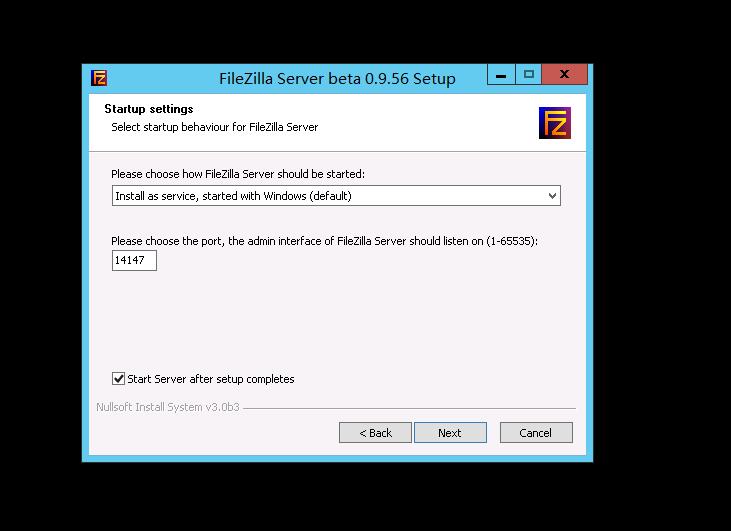
选择安装路径、选择FileZilla Server的启动方式以及管理端口。
共有3种启动方式:将FileZilla Server作为服务安装,随Windows系统启动;将FileZilla Server作为服务安装,手动启动;不将FileZilla Server作为服务安装,随Windows系统启动。一般情况选择第一种。管理端口选择未被占用的端口即可。
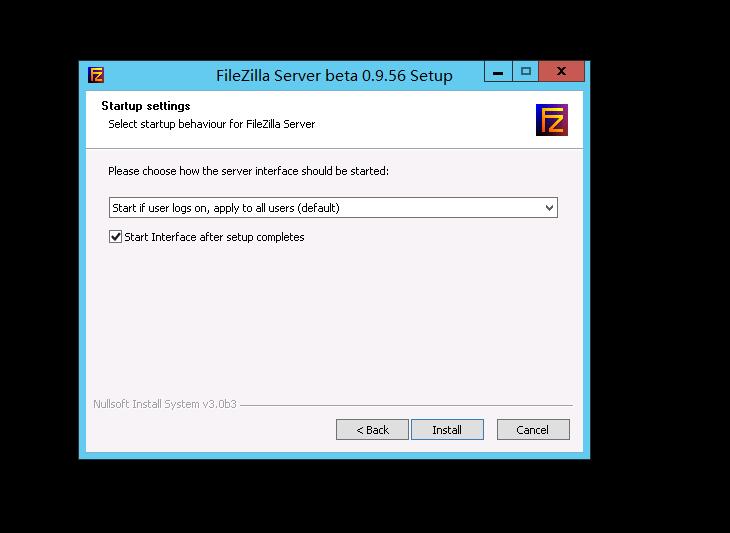
配置控制台启动方式。
共有3种选择:所有用户适用,自动启动;仅对当前用户适用,自动启动;手动启动。一般情况选择第一种即可。点击【Install】开始安装。
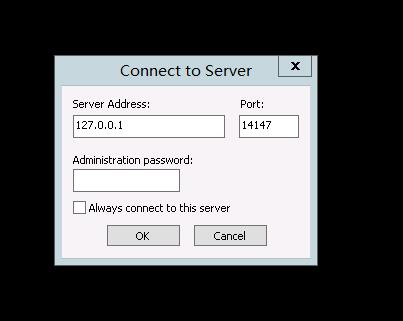
启动FileZilla Server,出现一个配置IP、管理端口的对话框,这里输入本地IP(即127.0.0.1),并且输入之前配置的管理端口(本例为14147),点击【OK】:
点击工具栏上的user按钮小图标,进入用户配置界面;点击【Add】按钮新增用户;在弹出的对话框中输入用户名(本例测试用户名为tencent-qcloud),点击【OK】进入下一步:

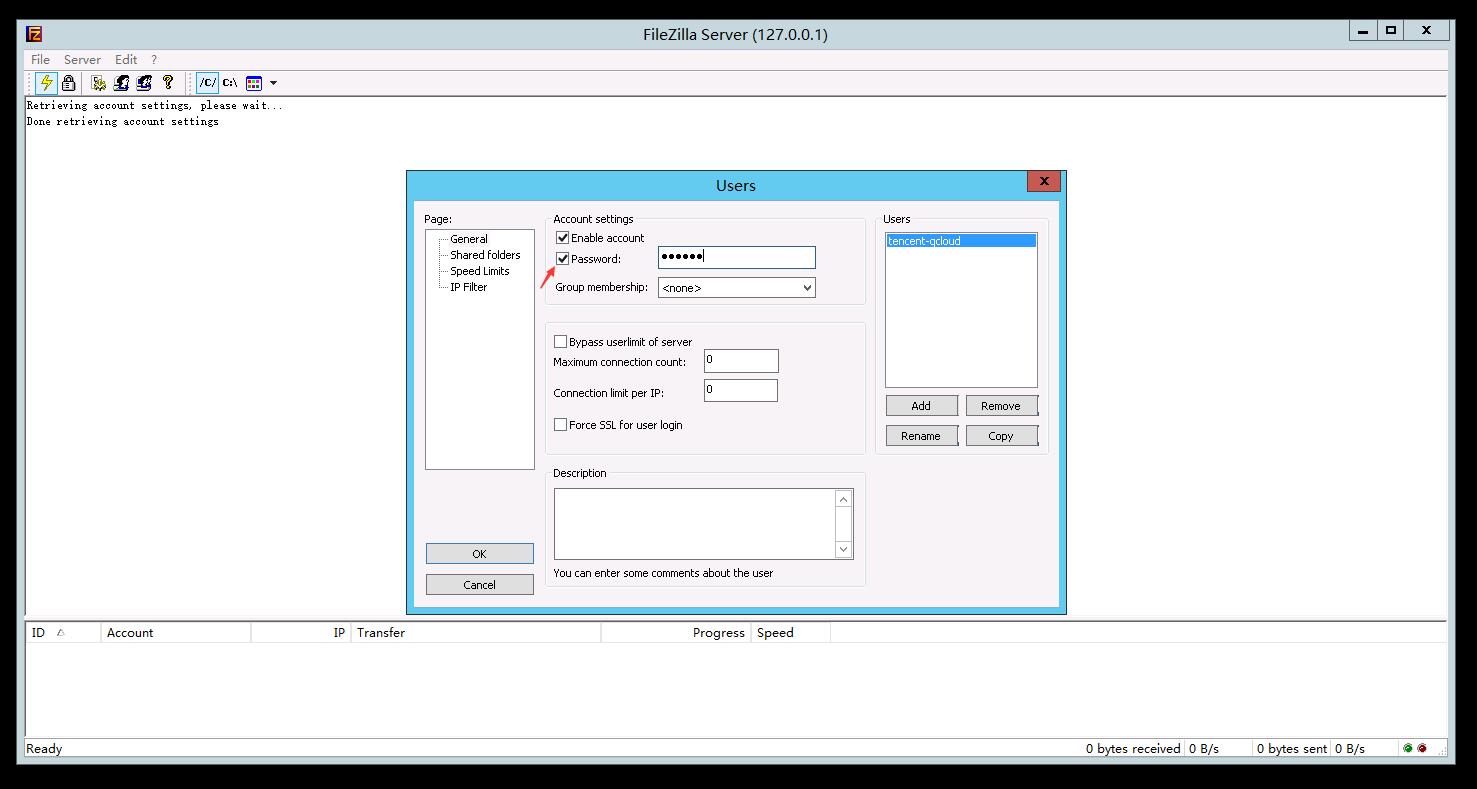
勾选“password”,为新增的用户设置密码,点击【OK】按钮:
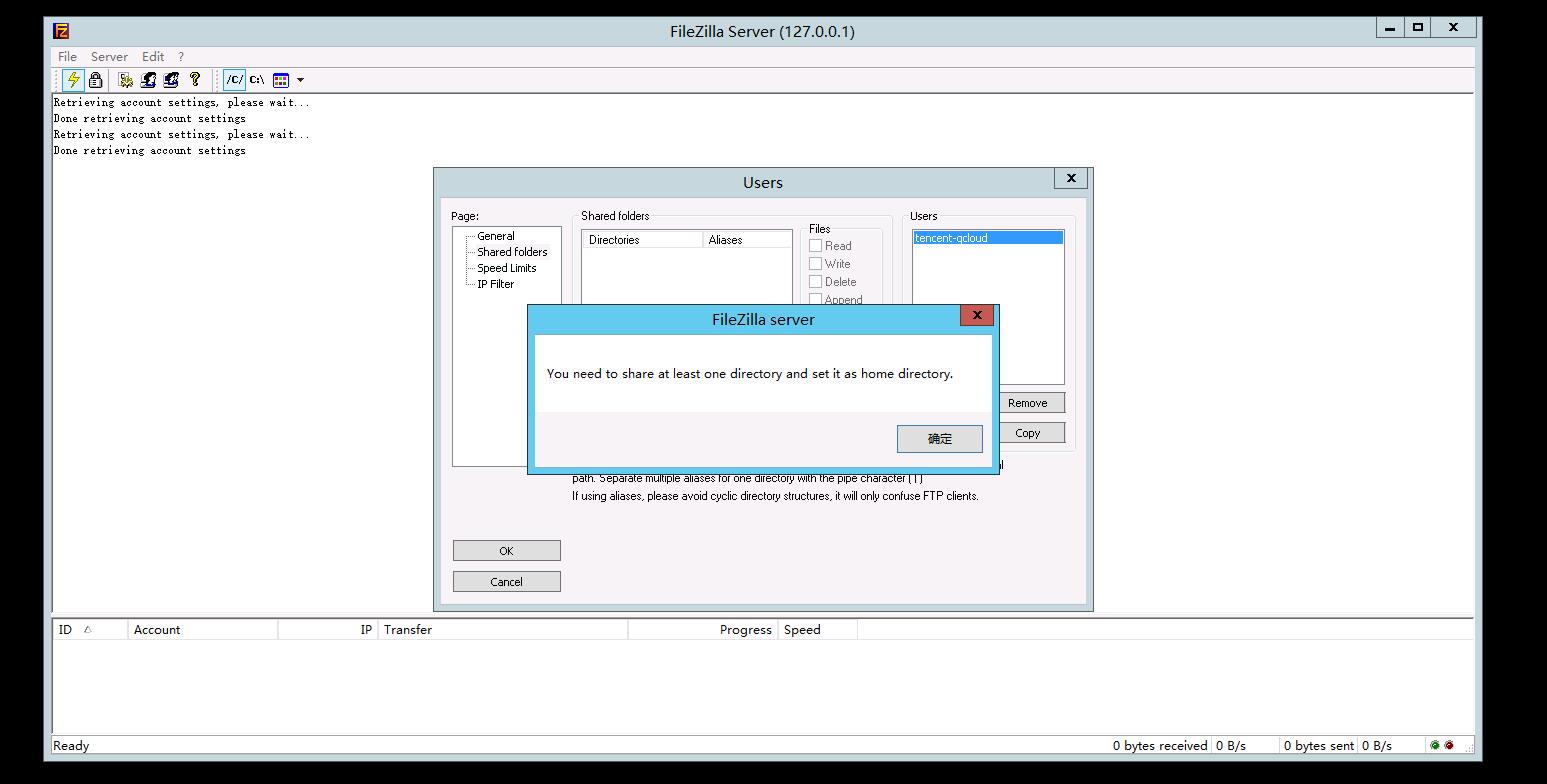
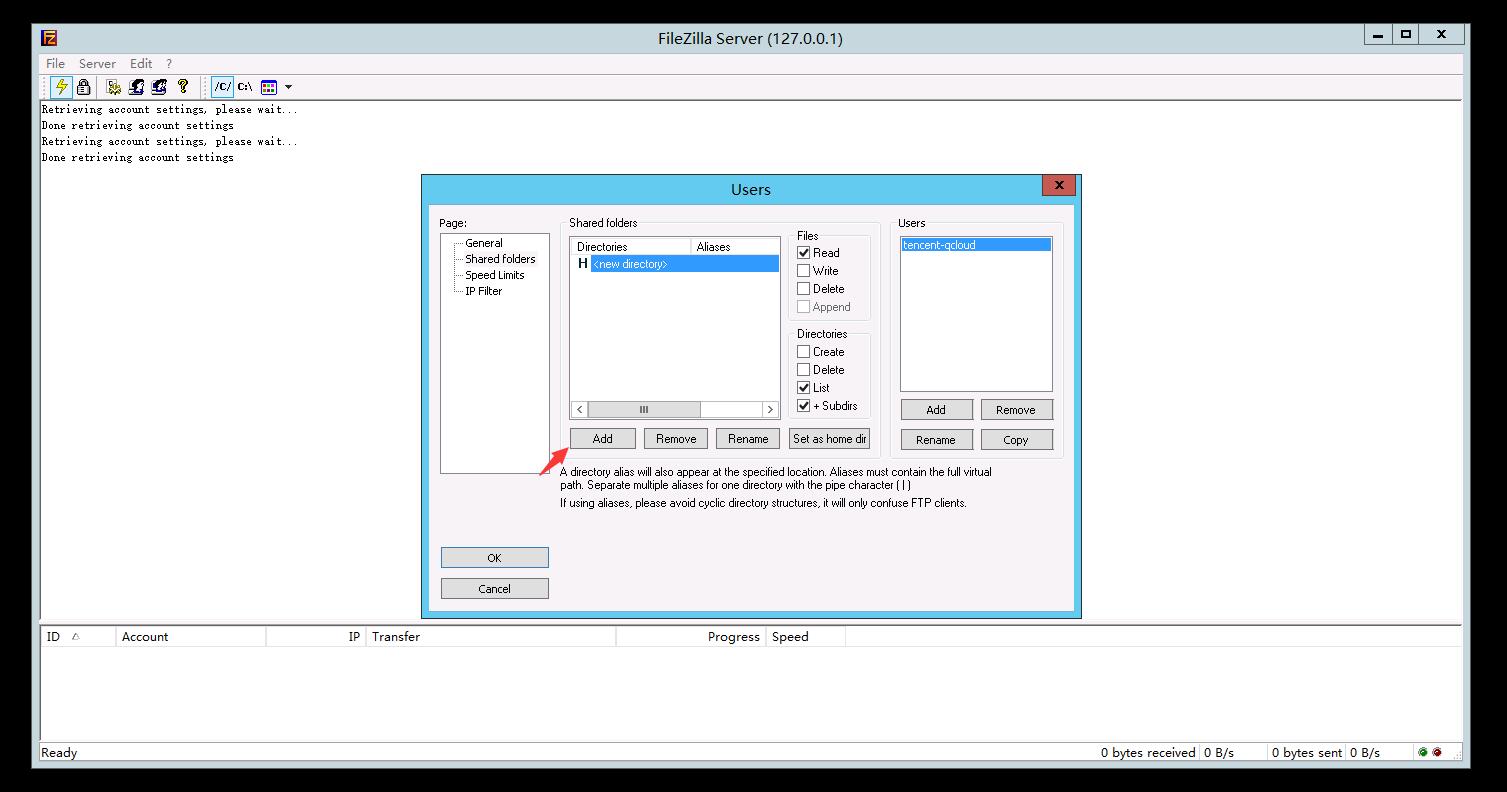
出现提示告知添加用户目录,点击【确定】进入设置界面。点击【Add】新增用户目录。
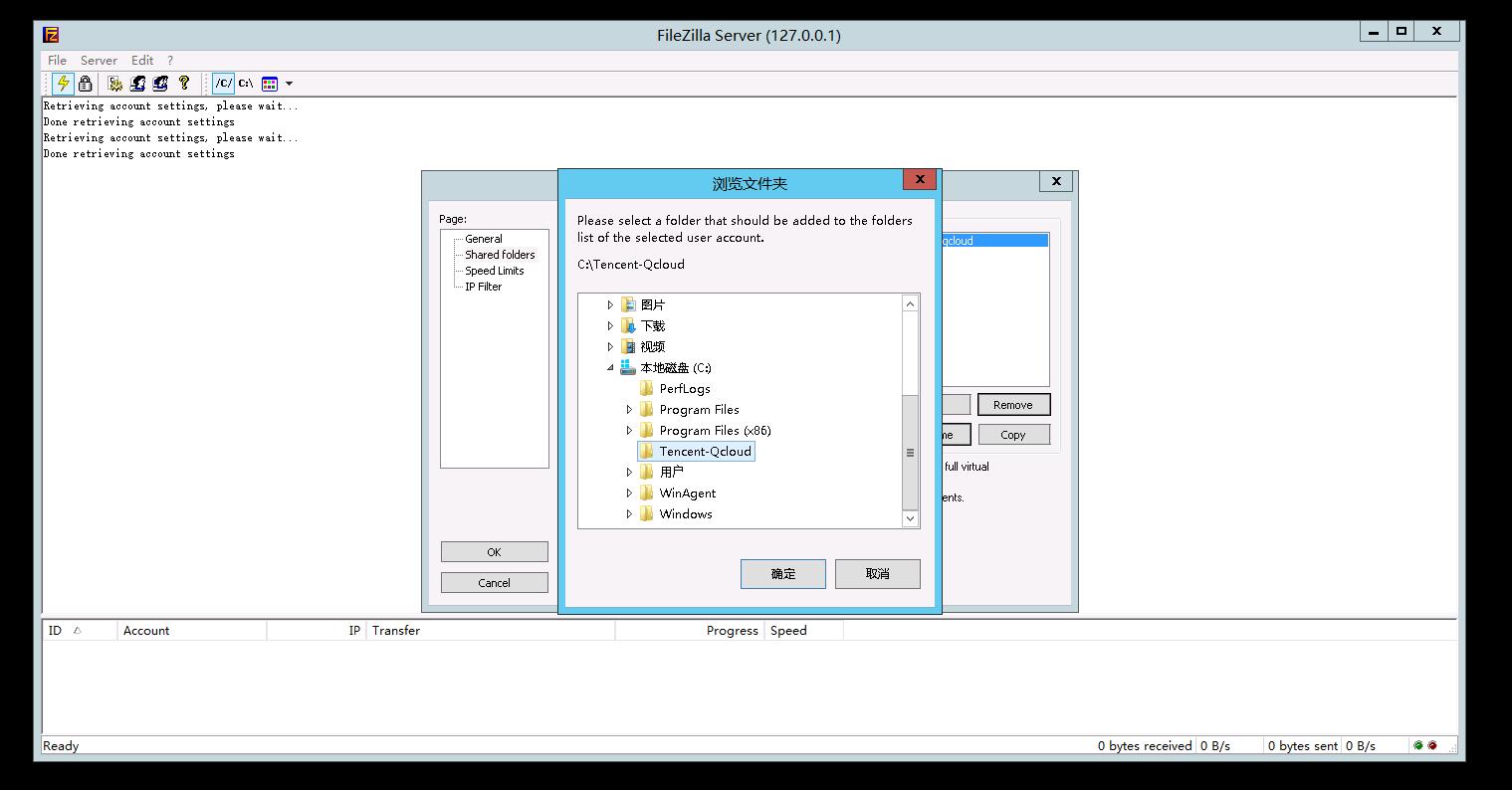
选择要用作FTP资源的目录(本例使用已新建的Tencent-Qcloud目录),点击【确定】:
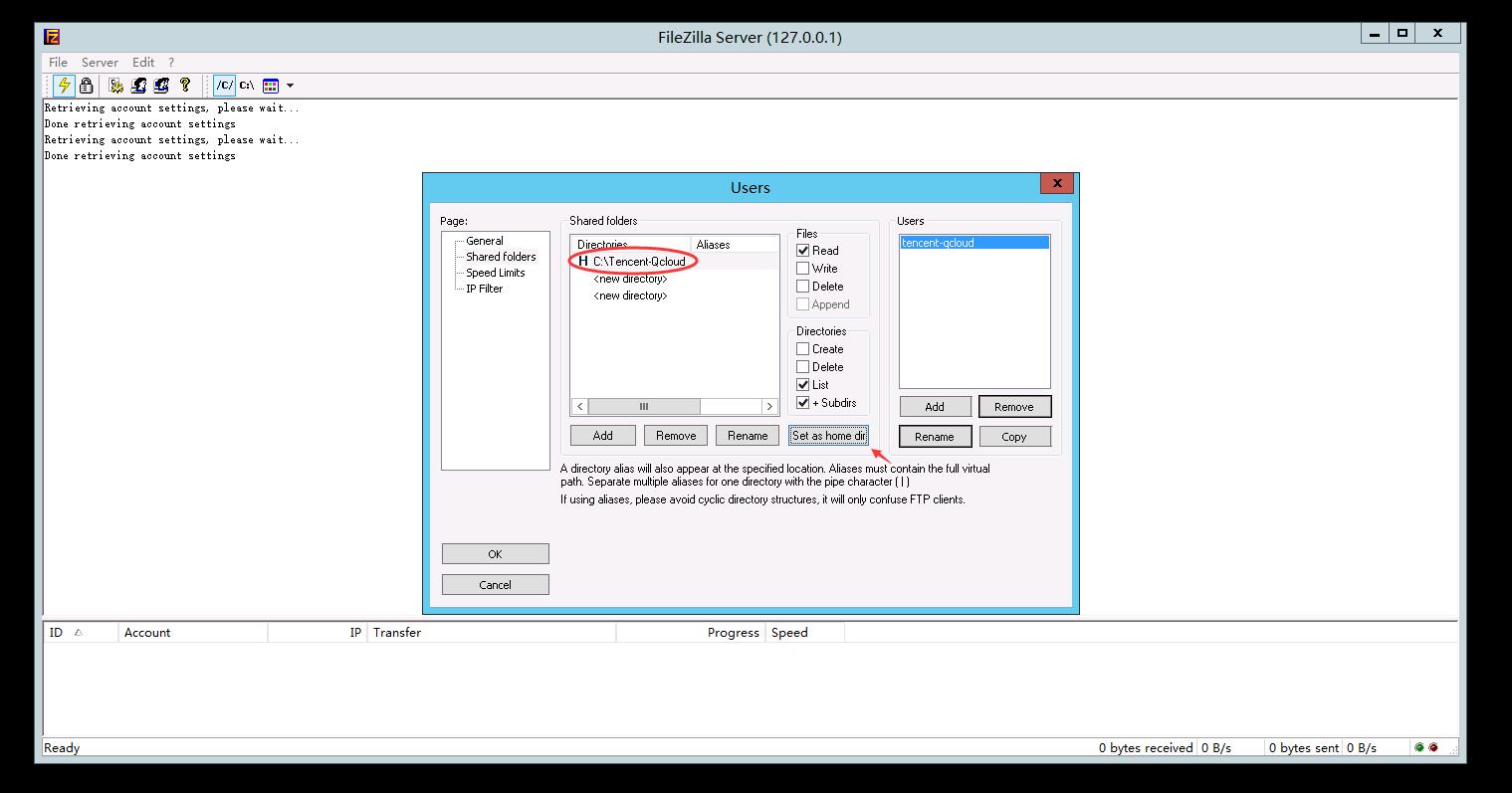
对于每一个资源目录,选中能访问该目录的用户并配置相关的访问权限(请删除Shared Folders下面的New directory项,否则可能报错)。至此,FileZilla服务已经搭建好。
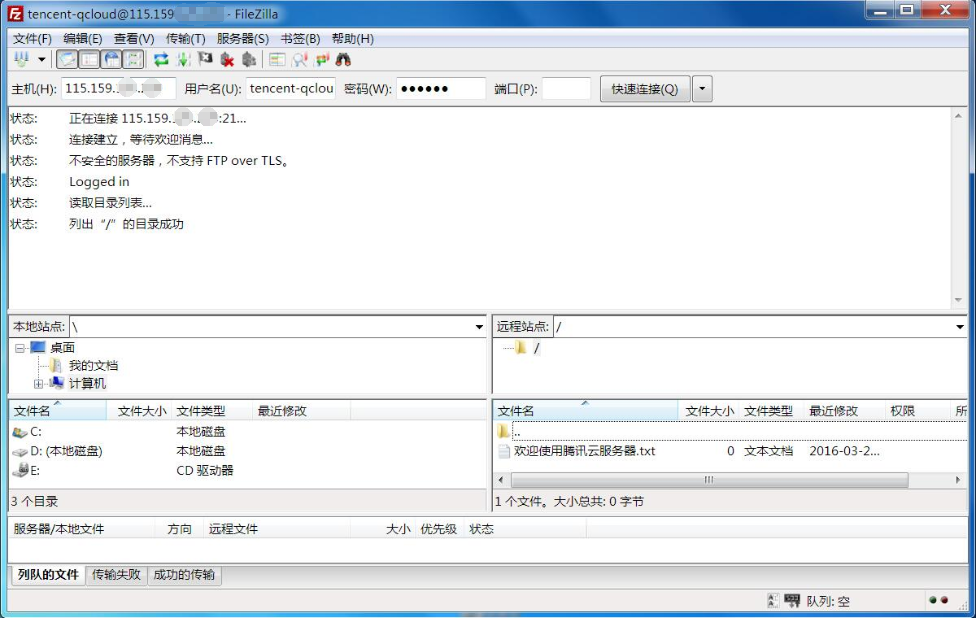
客户端通过本地FileZilla工具,连接至云服务器上搭建的FTP服务器。输入FTP服务器公网IP、账号、密码,点击【快速连接】,即可看到服务器分享给该用户的目录,并且可以看到之前放在该目录里面的文件“欢迎使用腾讯云服务器.txt”。
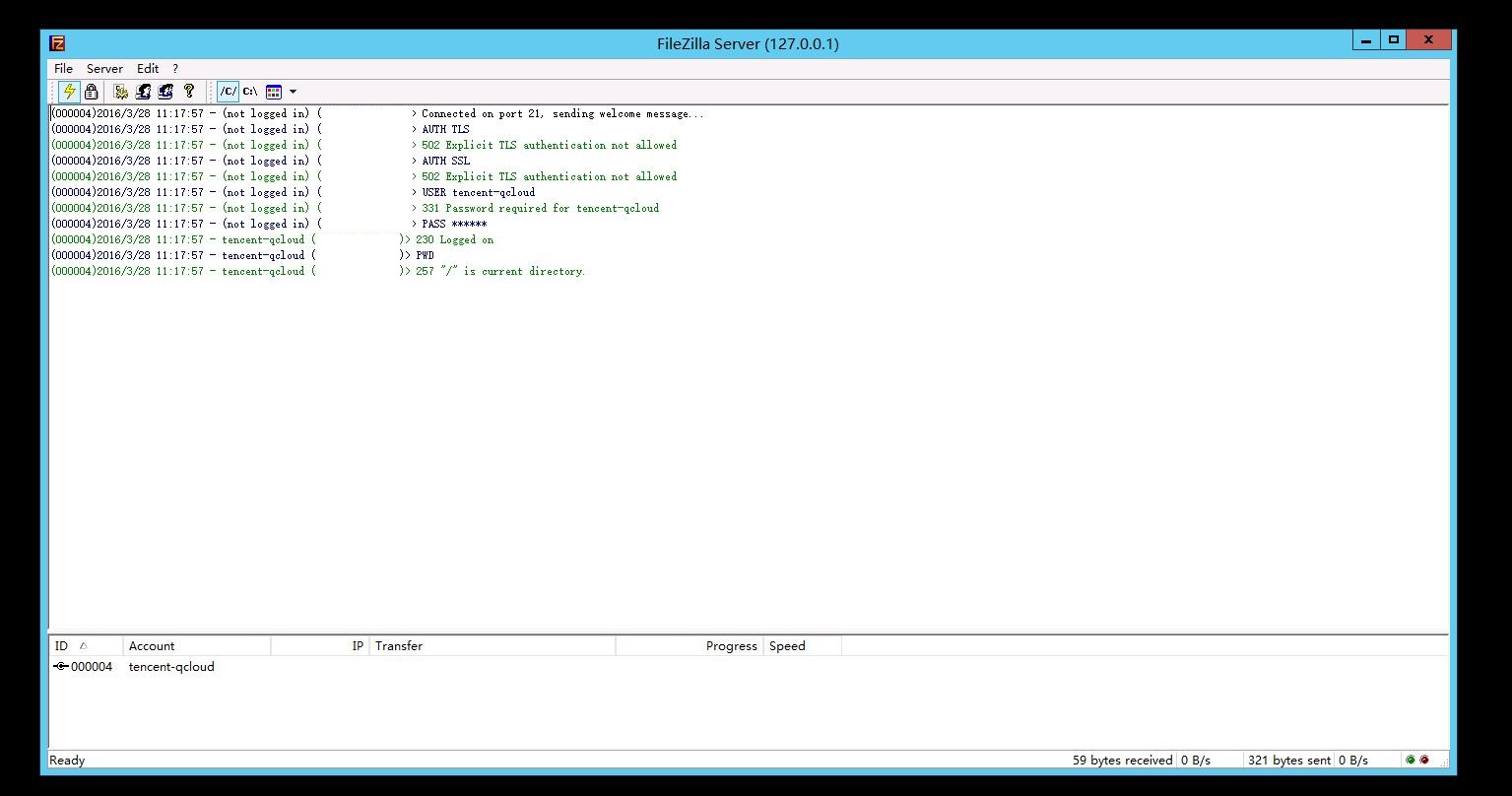
FileZilla服务器此刻可监控到客户端的连接:
下载FileZilla Server,官方下载地址:https://sourceforge.net/projects/filezilla/files/FileZilla%20Server/
下载完成后启动安装程序,阅读许可协议,点击【I Agree】进入下一步安装;选择安装内容,默认安装标准即可,点击【Next】(其中“Source Code”是源代码,不需要勾选):
选择安装路径、选择FileZilla Server的启动方式以及管理端口。
共有3种启动方式:将FileZilla Server作为服务安装,随Windows系统启动;将FileZilla Server作为服务安装,手动启动;不将FileZilla Server作为服务安装,随Windows系统启动。一般情况选择第一种。管理端口选择未被占用的端口即可。
配置控制台启动方式。
共有3种选择:所有用户适用,自动启动;仅对当前用户适用,自动启动;手动启动。一般情况选择第一种即可。点击【Install】开始安装。
启动FileZilla Server,出现一个配置IP、管理端口的对话框,这里输入本地IP(即127.0.0.1),并且输入之前配置的管理端口(本例为14147),点击【OK】:
点击工具栏上的user按钮小图标,进入用户配置界面;点击【Add】按钮新增用户;在弹出的对话框中输入用户名(本例测试用户名为tencent-qcloud),点击【OK】进入下一步:
勾选“password”,为新增的用户设置密码,点击【OK】按钮:
出现提示告知添加用户目录,点击【确定】进入设置界面。点击【Add】新增用户目录。
选择要用作FTP资源的目录(本例使用已新建的Tencent-Qcloud目录),点击【确定】:
对于每一个资源目录,选中能访问该目录的用户并配置相关的访问权限(请删除Shared Folders下面的New directory项,否则可能报错)。至此,FileZilla服务已经搭建好。
客户端通过本地FileZilla工具,连接至云服务器上搭建的FTP服务器。输入FTP服务器公网IP、账号、密码,点击【快速连接】,即可看到服务器分享给该用户的目录,并且可以看到之前放在该目录里面的文件“欢迎使用腾讯云服务器.txt”。
FileZilla服务器此刻可监控到客户端的连接:
Comments
Post a Comment